Secure client portal for lawyers
Send your client one link. Everything else happens there.
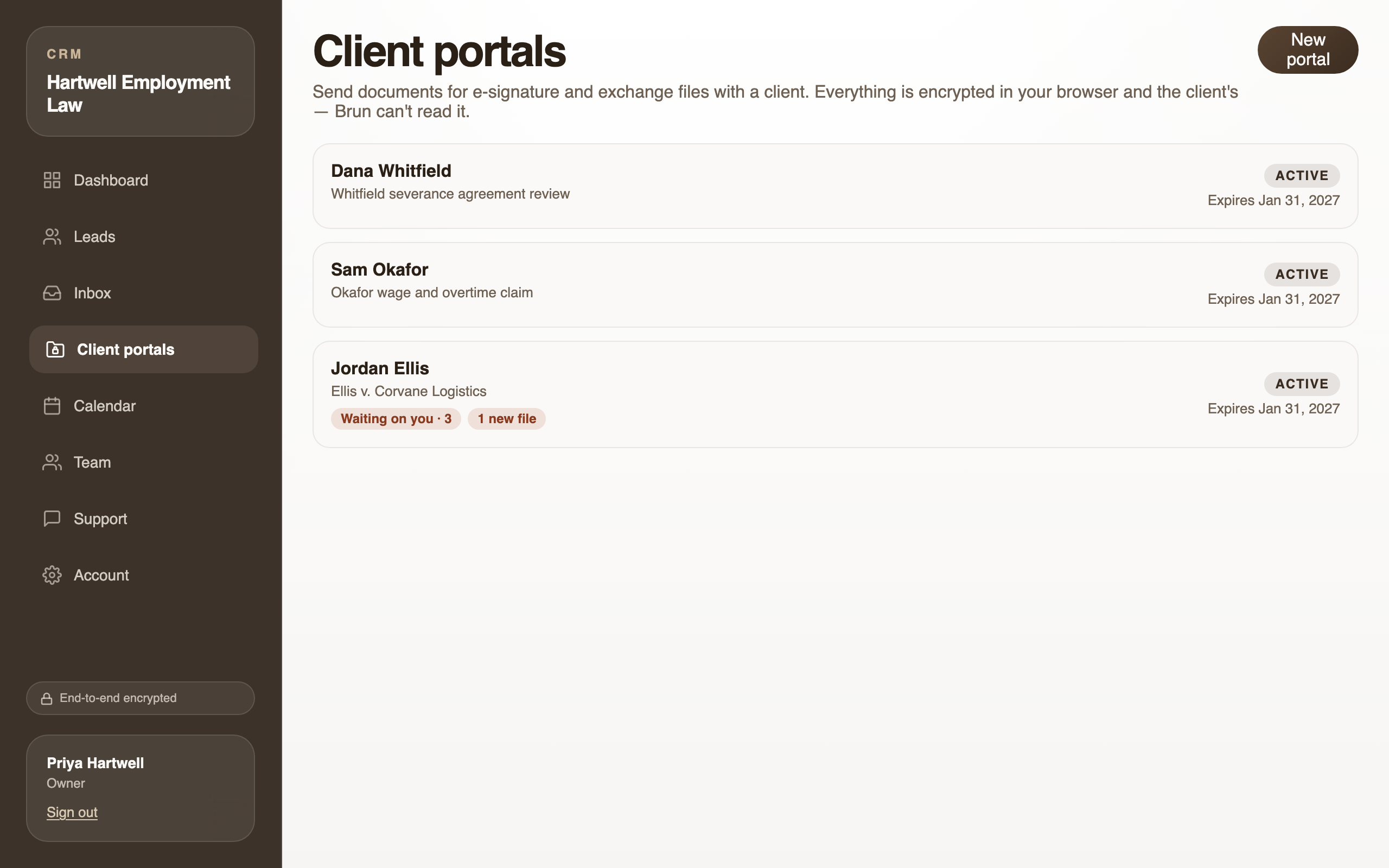
They sign your engagement letter, send you documents and follow their matter on one page with your firm’s name on it. No account, no app, and nobody outside your firm can read it. Not even us.
Set up with you on a short call · E-signature included · 30-day money-back guarantee
What your office stops doing.
Chasing signatures
Send the engagement letter to the client’s page. They sign on their phone, and you both get the signed copy. Reminders go out on their own.
Digging documents out of email
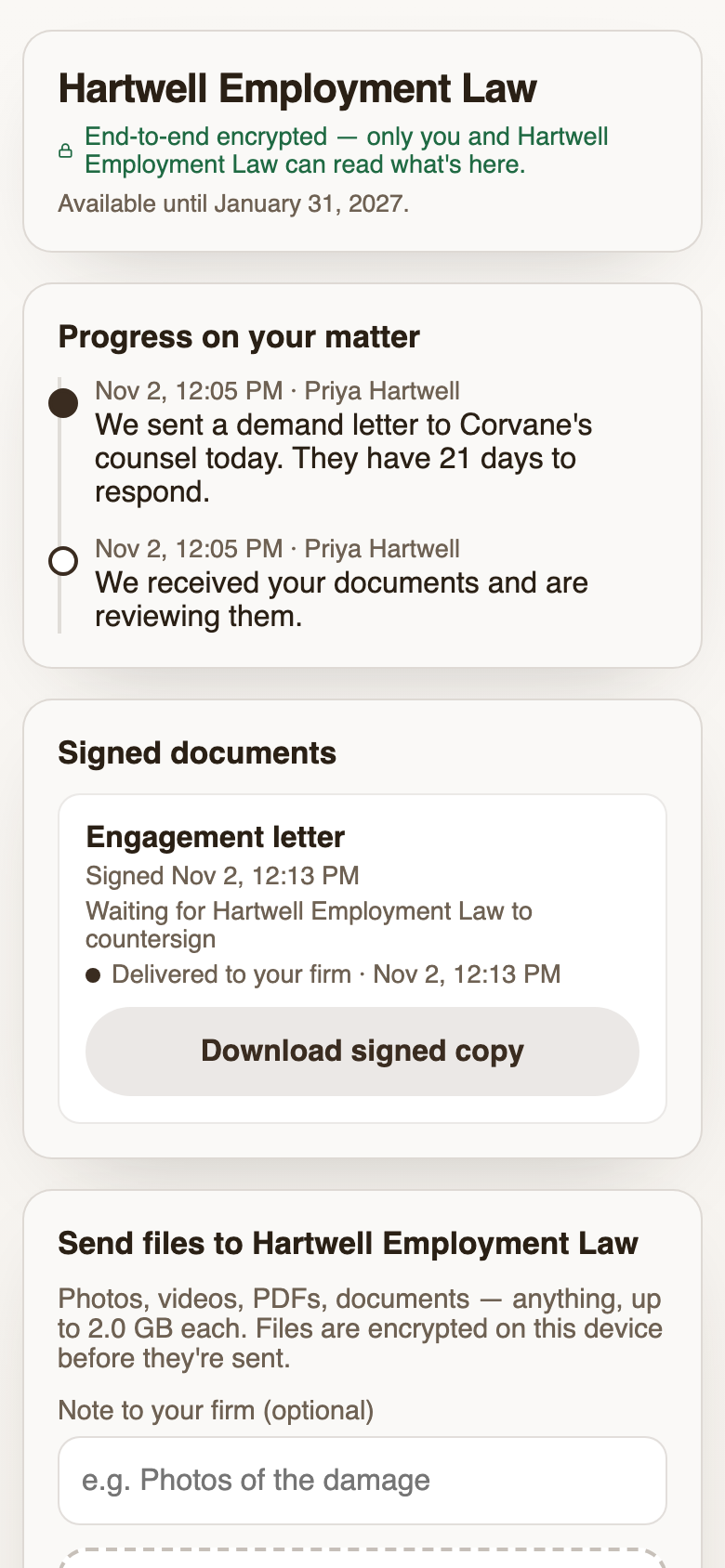
Clients send photos, PDFs and video straight from their phone, and they can see the moment your office opened them.
Answering “did you get my email?”
Post an update to the client’s timeline in one tap. Questions go into one message thread for the matter, not your personal texts.
What your client sees.
Real screens from a client’s phone. Nothing to download, nothing to sign up for.
Their own page, opened from a text.
You text the client a link. It opens in one tap with your firm’s name and logo, and shows where their matter stands.
The client's view, opened from a texted link. No account. Signing on their phone.
They read the document, sign where you marked it, and get a signed copy. You countersign if you need to.
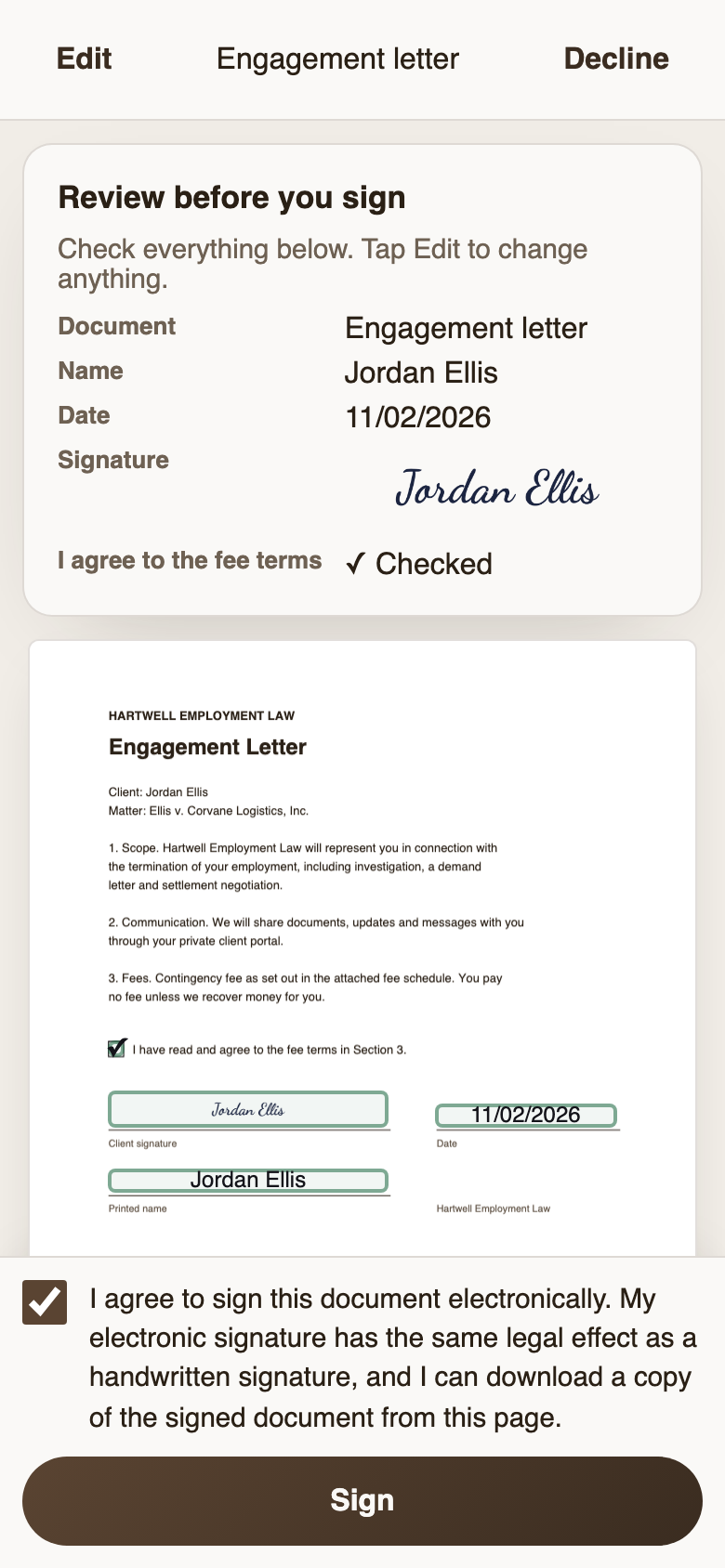
Review and sign: the client sees every value before the final step. One conversation per matter.
Messages stay on the page instead of in texts and inboxes. A spouse or business partner can join with the same link.
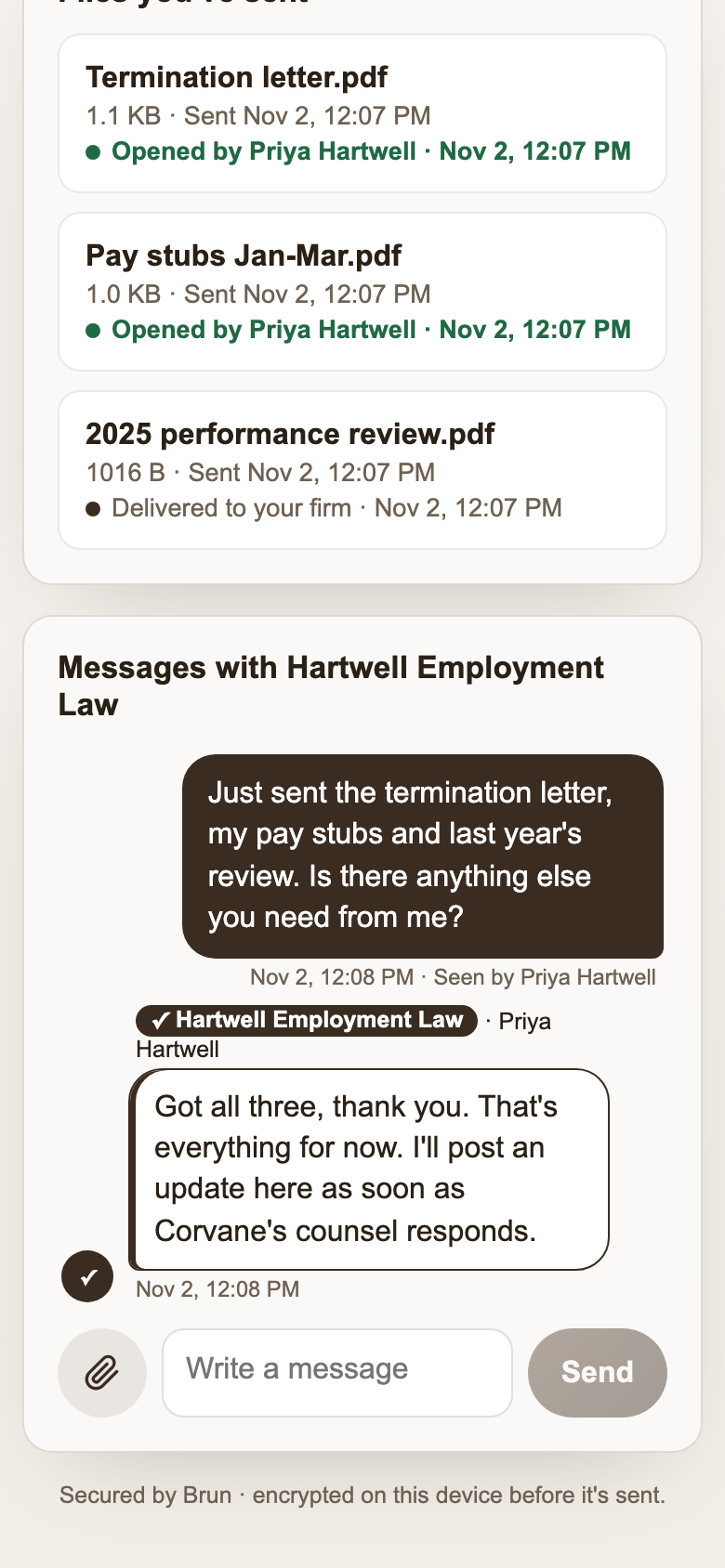
One thread per matter. Firm messages carry a badge a client name can't fake.
Only your firm can read it. Not even us.
Everything your clients send is locked on their phone or computer before it leaves, and only your firm holds the key. Email and e-signature companies keep a copy their systems can read. We don’t, so a hack or a subpoena of Brun turns up nothing readable.
What we can still see, to run the service: your team’s email addresses, billing, when a page was opened, and that a file arrived and roughly how big it is.
Your website’s contact form works the same way: new inquiries arrive locked. Contact forms for law firms → Why this matters →
Questions about client portals for law firms.
What is a client portal?
A private web page your firm shares with one client. Instead of email and texts, the two of you exchange documents, signatures, updates and messages there. With Brun the client opens it from a text message: no account to create and no app to install.
Does my client need an account or an app?
No. You text or email them a link to their portal. Texted, the link carries the key and opens in one tap. Emailed, it carries no key and the client types a 12-character access code you send separately. It works in the browser on any phone or computer.
Is a client portal secure? Can Brun read my clients' documents?
No. Documents, files, messages, updates, signatures, client names and your website inquiries are encrypted in the browser before they upload, and the keys never reach our servers. What we can see is operational: that a file arrived and its approximate size, when a portal was opened, your account and billing details, and any support messages you send us.
Does Brun replace DocuSign or Adobe Acrobat Sign?
For most client documents at a small firm, yes: you send the PDF, place signature, initials, date, name, text and checkbox fields, and countersign if needed. Brun doesn't do multi-party signing order, templates, bulk sends or PDF editing, so firms that need those keep the other tool for them.
Does it replace our practice-management software?
No. Matters, billing, trust accounting and your calendar of record stay where they are. Brun handles the client exchange, from the first inquiry on your contact form to the signed agreement, the documents and the updates.
Why no AI, integrations or mobile app?
Each one is a way for readable data to leave the encryption. An AI summary has to read your documents; an integration copies them to another company. Brun works in the phone's browser, and your clients never install anything.
Pricing
Brun is priced per person at your firm, and every plan includes everything above: client portals, e-signature, encrypted intake and file exchange. No per-signature fees. We quote your firm on a short demo call, after we’ve seen how you work with clients today.
Want us to set it up for you — your forms, your branding, your team trained? We cover that on the same call. 30-day money-back guarantee: not satisfied within 30 days of your first payment? We refund the first invoice in full. Cancel anytime.
See the page your clients would open.
A short video call. We open a sample client’s page and send it a document to sign, so you see exactly what your client would. Nothing to prepare, nothing to install.