How a client sends you files
The client opens their portal and taps Send files. On a phone that opens the photo library, the camera or the file browser; on a computer it opens a file picker. Every pick is staged first, with its name, size and a thumbnail, and nothing uploads until the client confirms. They can add a note (“Photos of the damage”, “Last three pay stubs”) that is encrypted along with the files.
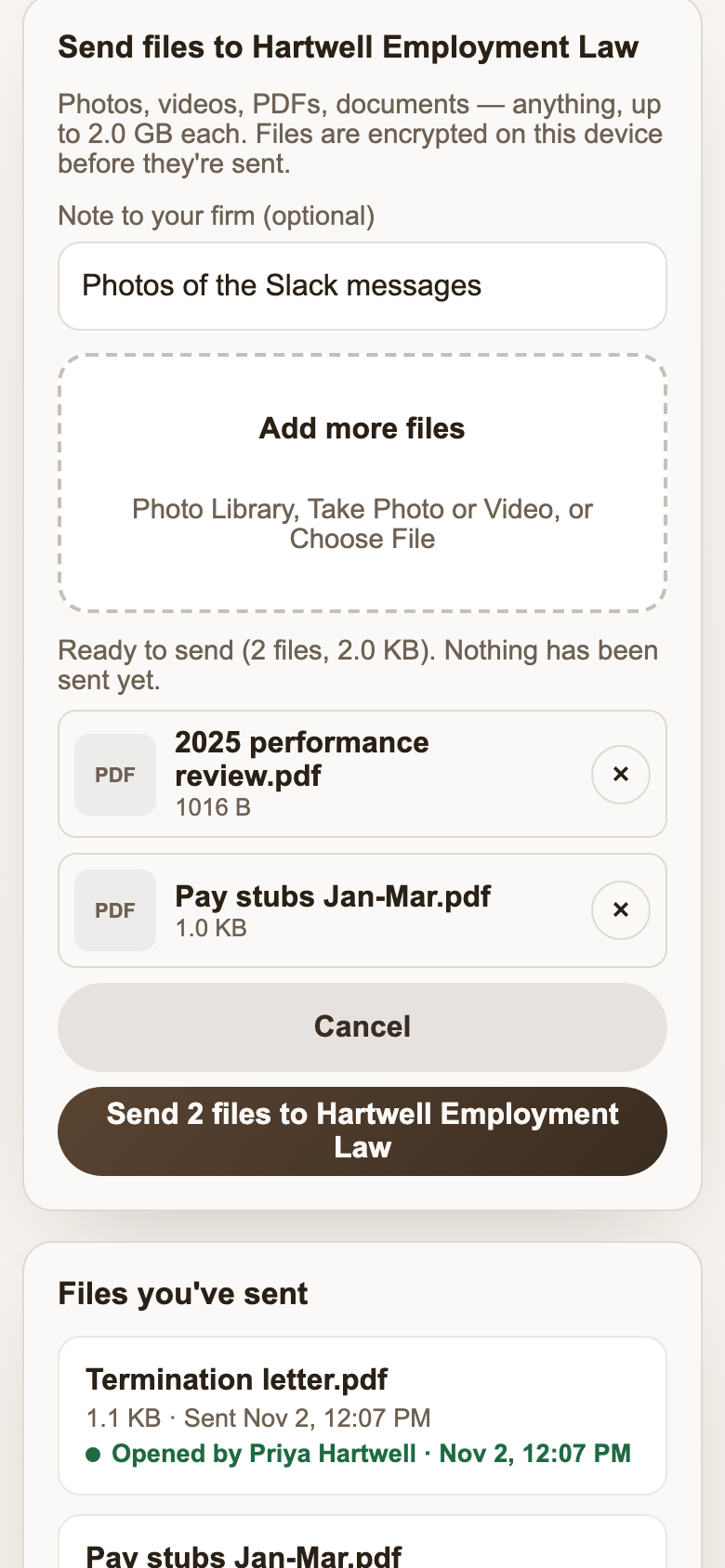
Each file is encrypted on the client’s device, in chunks, before it leaves. A 1.5 GB phone video uploads the same way a one-page PDF does, and at no point does a readable copy sit on a server. Your firm decrypts it in the browser when you open it.
Proof it arrived, on both sides
The most common question after a client emails you a document is “did you get it?” In Brun each file the client sends shows:
- Sending while it uploads,
- Delivered once it is stored, and
- Opened by the name of the person at your firm who opened it, with the time. Your firm can switch names off, so it reads “Opened by your firm”.
On your side, new files get a New tag and count toward the portal’s Waiting on you number. Brun emails the firm once when files arrive (at most once per portal every 15 minutes, with nothing from the matter in the email). Anything still unopened after a day triggers one more reminder to the portal’s creator and every owner and admin, so a client’s upload can’t sit unnoticed over a weekend.
Sharing files back to the client
Use Share files on the portal to send the client anything: a draft for review, a court filing, a settlement statement. Shared files are encrypted in your browser and appear in the client’s portal to download. Signed documents live on the same page, so the client never has to search their inbox for “the final version”.
How it compares with the usual ways
| Email attachment | Cloud-drive link | Brun portal | |
|---|---|---|---|
| Who can read the file | Each mail provider it passes through, plus both inboxes | The drive provider, plus anyone with the link | Your firm and the client's link only |
| Size limit | About 20–25 MB per message | Large (depends on plan) | 2 GB per file |
| Client needs an account | No | Sometimes | No |
| Client sees it was opened | No | No | Yes, with the opener's name |
| Copies left behind | In both inboxes, indefinitely | Until someone deletes or unshares | Removed when you delete the portal |
| Firm alerted to new files | It's one email among many | Depends on settings | One alert, plus a reminder after 24 h |
Limits worth knowing
- Brun can see a file’s approximate size (ciphertext is about the size of the original) and when it arrived, but not its name, type or contents.
- Very large videos are better downloaded than previewed. Previews decrypt in the browser’s memory.
- Brun is not a document-management system. Save what you keep into your firm’s file of record; the portal is the exchange.
- No protected health information: Brun signs no BAA (why).
More context: how to send sensitive documents securely and a portal compared with email. Or start with the client portal overview.