What your client sees
You open a portal for a client from their matter in Brun and send them the link. Texted from your phone, the link carries the key and opens in one tap. Emailed, it carries no key, and the client types a 12-character access code you send them a different way. Brun never emails the code. Either way there is no account to create, no password to forget and no app to install.
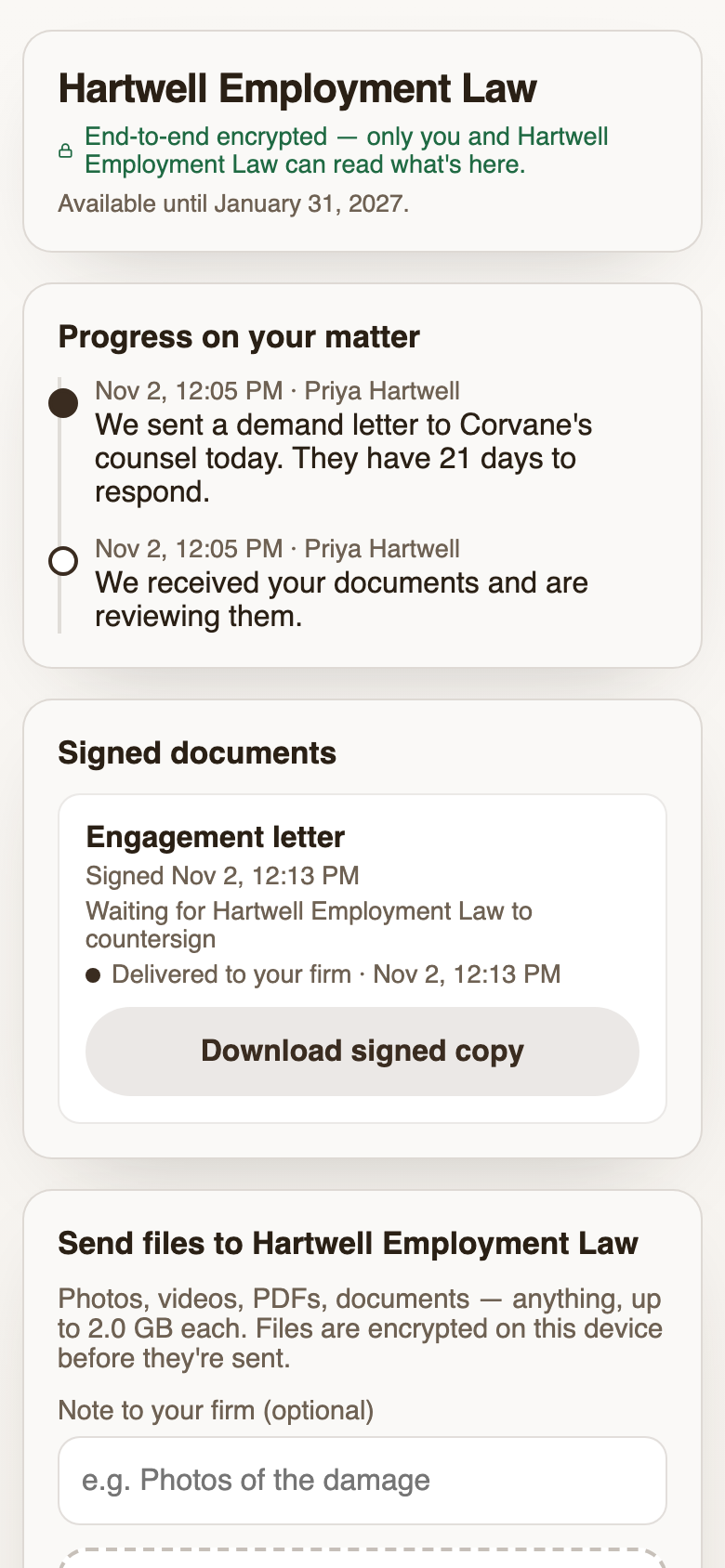
The page carries your firm’s name, logo and colour. From top to bottom the client sees:
- Progress on their matter: a dated timeline of the updates you post, with the new ones marked. One-tap presets cover the common ones (“We received your documents and are reviewing them”, “We filed your paperwork with the court”).
- Documents waiting for their signature, with a Review & sign button.
- Signed documents they can download at any time while the portal is open.
- Send files to your firm: photos and video straight from the phone’s library or camera, PDFs, Word files, anything, up to 2 GB each.
- Files they’ve sent, each marked Delivered and then Opened by the person at your firm who opened it.
- One message thread with your team, which a spouse, a co-founder or anyone else on the client’s side can join with the same link.
What your firm sees
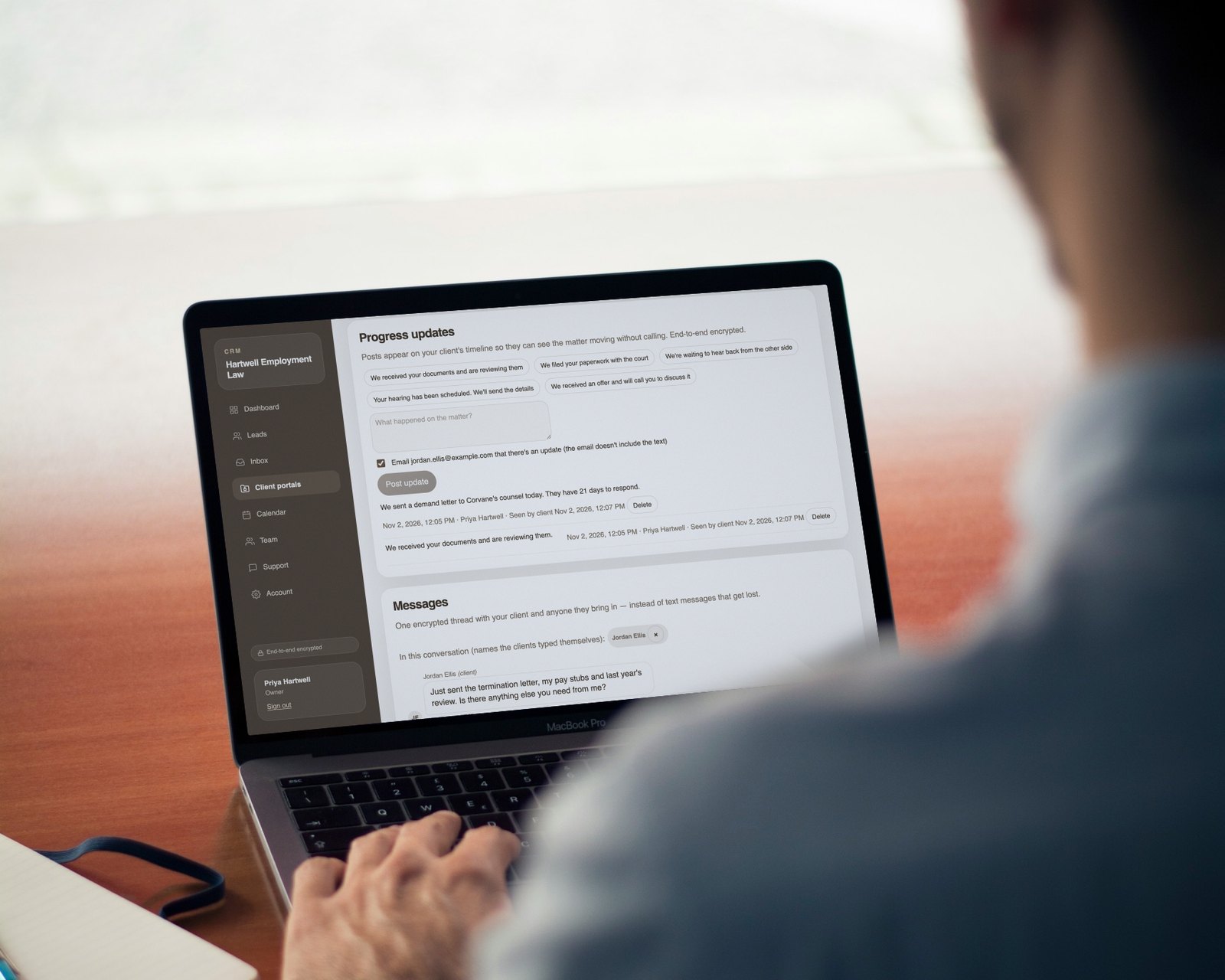
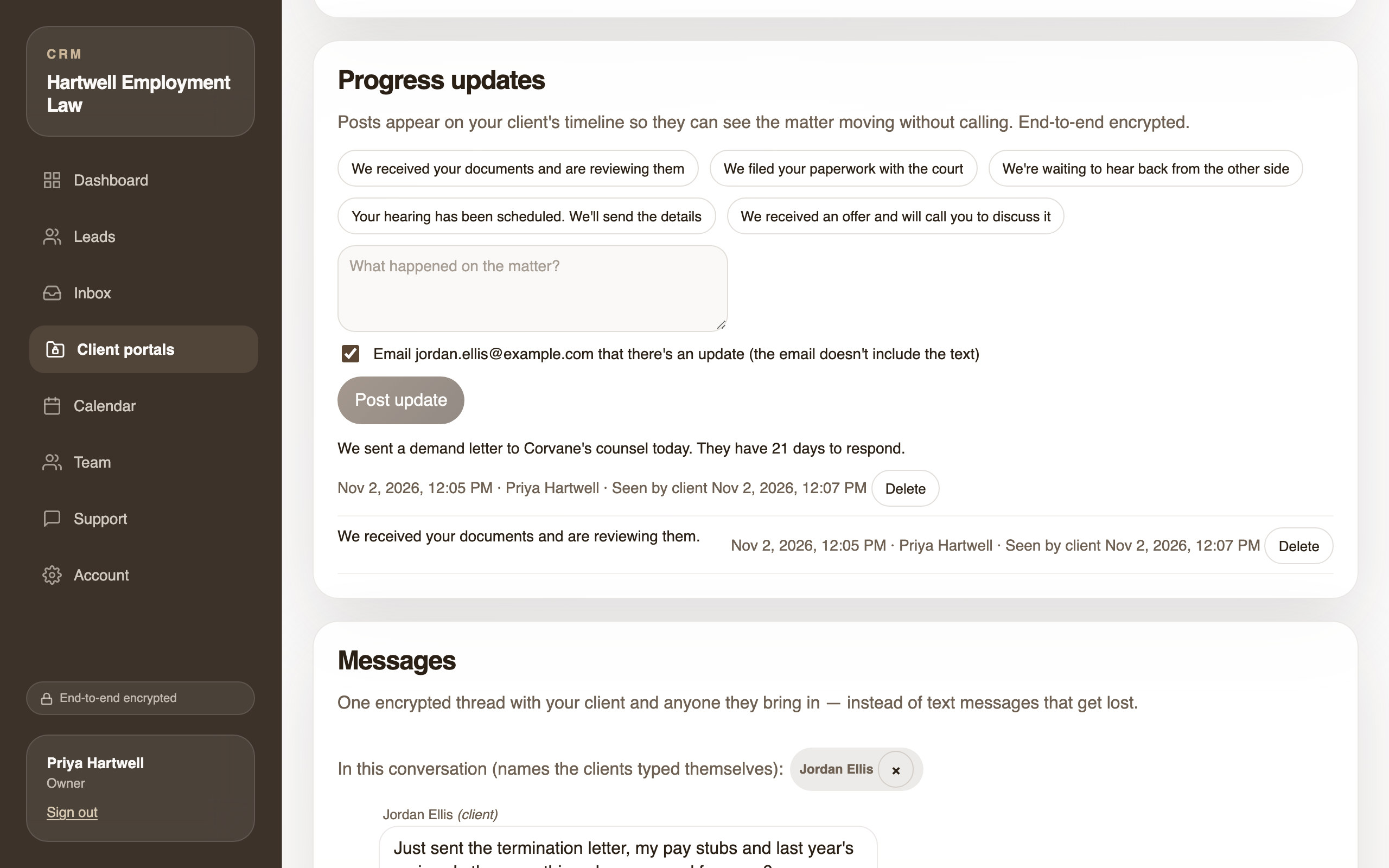
Your portal list shows every open matter with a Waiting on you count: files nobody has opened, unread messages, and signed documents nobody has downloaded. Open a portal and the whole exchange is on one page, decrypted in your browser: the documents out for signature and their status, the files from the client, the thread, the timeline, and an activity record of when the portal was opened and when each document was viewed, signed or declined.
E-signature built into the same page
Upload a PDF and place signature, initials, date, name, text and checkbox fields. If the PDF already has fillable fields, Brun detects them and places them for you. Mark a document as needing your countersignature and it goes back to you once the client has signed. Before anything sends, you see a review step with the recipient, the fields and whether you’ll countersign.
The client fills in and signs in the browser, reviews every value before the final step, and gives consent to sign electronically. The signed copy gets a certificate of completion listing what was filled in, and both sides download it. If a document sits unsigned, a reminder goes to the client three days after you sent it (sent the next time someone at your firm opens that portal, because Brun doesn’t store the client’s email address), at most three per document. You can also send one yourself. See how to get clients to sign documents online for the full walkthrough.
Encrypted end to end, including from us
Every document, file, message, update, client name and signature is encrypted in the browser of whoever created it before it uploads. Your firm’s browsers hold the key, and so does the client’s link. Brun’s servers store ciphertext. A breach of Brun, a Brun employee, or a subpoena to Brun gets envelopes nobody there can open.
What Brun can see is the operational record it needs to run the service: that a portal exists, when it was opened, that a file arrived and its approximate size, which document is signed, and your firm’s account, billing and team email addresses. Email notices to the client and to your firm carry nothing from the matter. They say only that something new is waiting.
Where it fits
Brun is built for small firms, from solo practices to about five attorneys. It doesn’t replace practice-management software. Matters, billing, trust accounting and your calendar of record stay where they are. Brun covers the exchange with the client, starting with the first inquiry from your contact form, which arrives encrypted too.
It is the right tool when the things clients send you would be a problem in someone else’s inbox. It is not the right tool for medical-records-heavy practices: Brun signs no BAA and its acceptable use policy prohibits protected health information (why).
Comparing options? Read a portal compared with email, Brun vs DocuSign, and Brun vs Clio’s client portal.